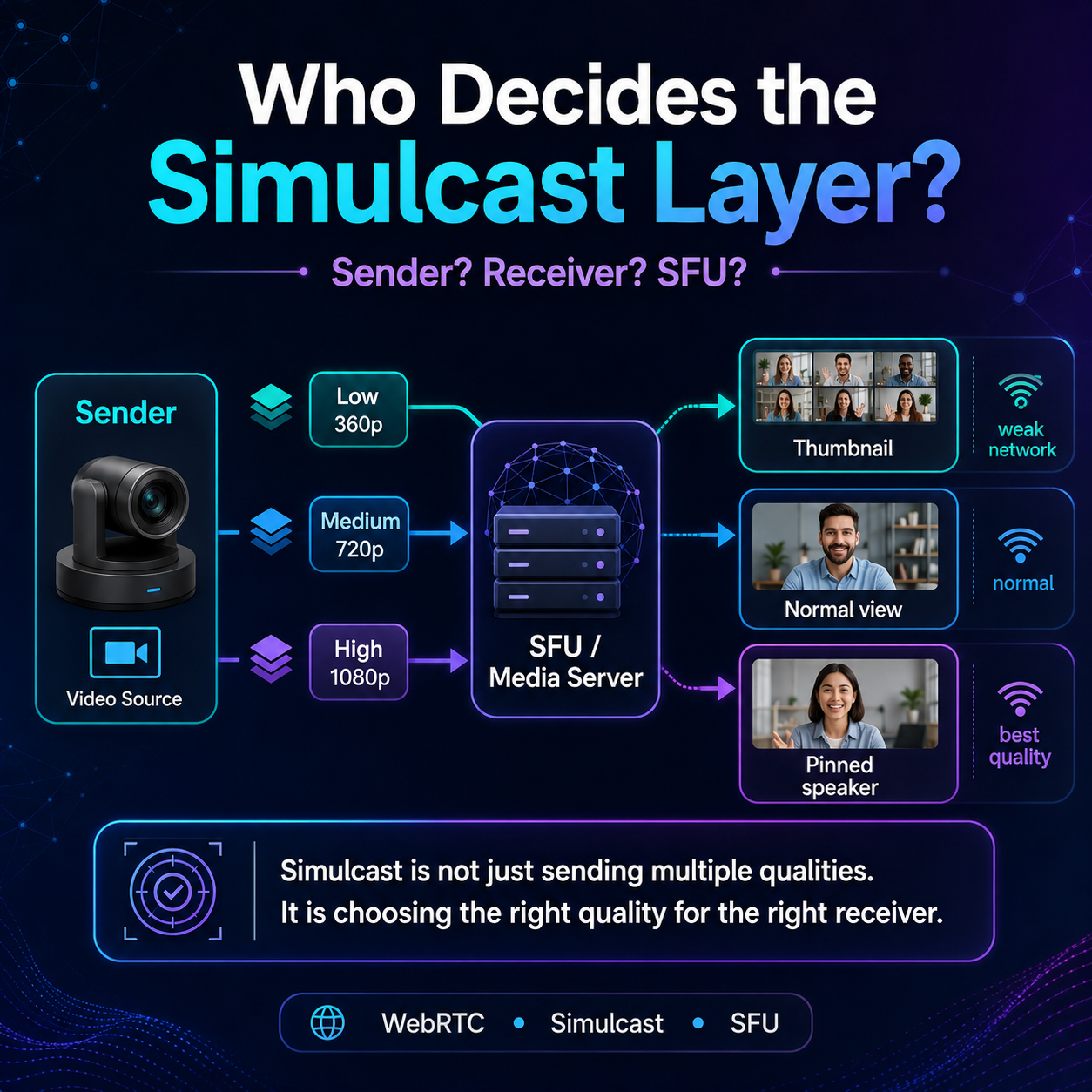
Most developers misunderstand “manual layer selection” in WebRTC simulcast.
They think the receiver simply says:
“Give me 360p, 720p, or 1080p.”
But in real production systems, it is usually more nuanced.
With simulcast, the sender may produce multiple video layers:
low → 360p medium → 720p high → 1080p
The important question is:
Who decides which layer is actually delivered?
In a simple peer-to-peer setup, the sender can control which encodings are active.
But in an SFU-based architecture, the SFU usually receives multiple layers and forwards the most appropriate one to each participant.
For example:
active speaker → high quality
normal participant → medium quality
small thumbnail → low quality
weak network → lower layer
pinned user → higher layer
This is why simulcast is not just a “video quality feature.”
It is a bandwidth management strategy.
Manual layer selection can be useful when you want to let users choose quality, debug video behavior, or optimize layouts like gallery view vs pinned speaker view.
The key lesson:
Simulcast is not only about sending multiple qualities.
It is about choosing the right quality at the right time for the right receiver.
That is one of the things that separates a basic WebRTC demo from a production-grade video platform.
Have you ever worked with simulcast, SFUs, mediasoup, Janus, or Jitsi?
#WebRTC #Simulcast #JavaScript #FrontendDevelopment #NodeJS #RealTimeCommunication #SoftwareEngineering