

If you want to build better user experiences, you need to understand how users behave.
Here are three tools that help you do exactly that — each in a different way.
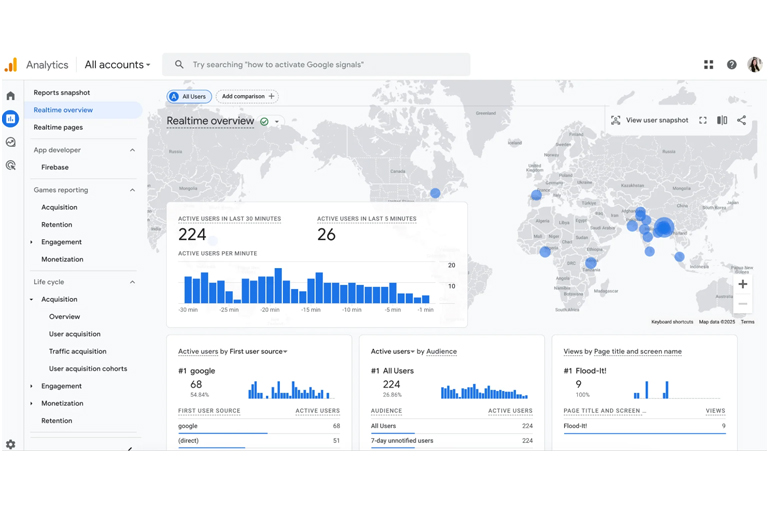
Google Analytics is the most popular analytics platform. It tracks how users find your site, what pages they visit, and how long they stay.
UX-related features:
Track pageviews, bounce rates, and session duration
See how users move through your site
Set up conversion goals (e.g., sign-ups, purchases)
Analyze traffic by device, location, or source
Great for: Understanding traffic patterns and high-level user behavior
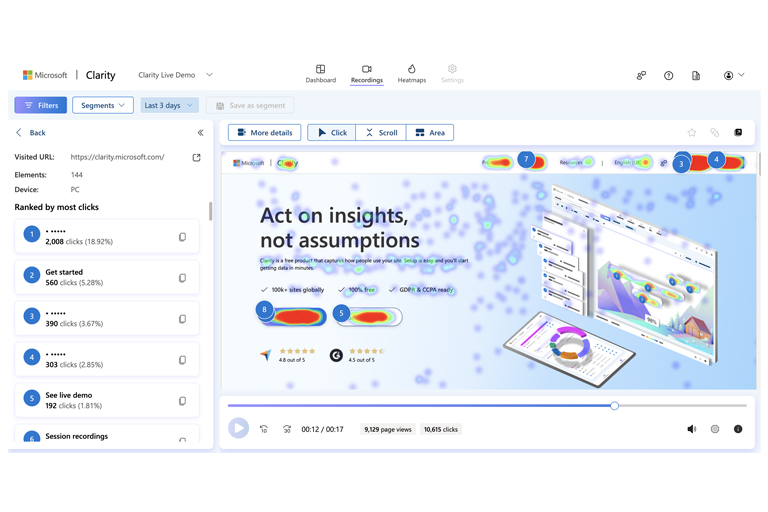
Clarity gives you a visual look at user behavior. It's simple, free, and very UX-focused.
UX-related features:
Heatmaps to see where users click or scroll
Session recordings to watch how people interact with your pages
Detects rage clicks, dead clicks, and scroll depth
No setup needed — just add a small script
Great for: Finding UX issues like confusing layouts or broken interactions
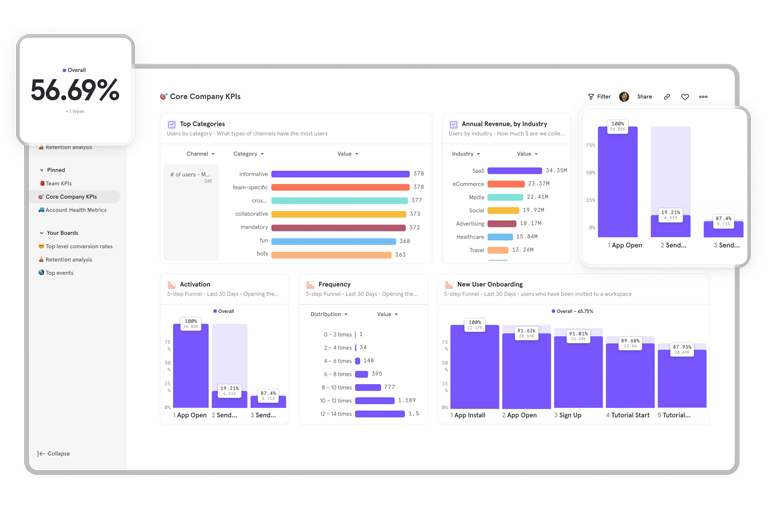
Mixpanel is a more advanced, event-based analytics tool that tracks what users do inside your app or website.
UX-related features:
Track custom events like “tap on CTA” or “completed signup”
Build funnels to see where users drop off
Measure retention and cohort analysis
Run A/B tests and segment your users
Great for: Understanding in-app behavior, user journeys, and improving product experience
Each tool has a different strength when it comes to UX:
Google Analytics gives you the big picture. You can see how users get to your site and where they go — but it doesn’t show you what exactly they do on the page.
Microsoft Clarity lets you see real user sessions, so you can watch where people struggle or get confused. It’s visual and beginner-friendly.
Mixpanel goes deeper by tracking specific user actions. You can analyze funnels, retention, and make data-driven product decisions.
If you’re focusing on mobile apps (not just websites):
Mixpanel is your best choice.
It’s built for event tracking, works great with mobile SDKs, and helps you understand how users interact with your app over time.
Clarity is currently web-focused (not ideal for mobile apps), and Google Analytics can work for mobile too, but Mixpanel gives much richer in-app insights.

