
❤️In the name of who connects hearts to each other❤️
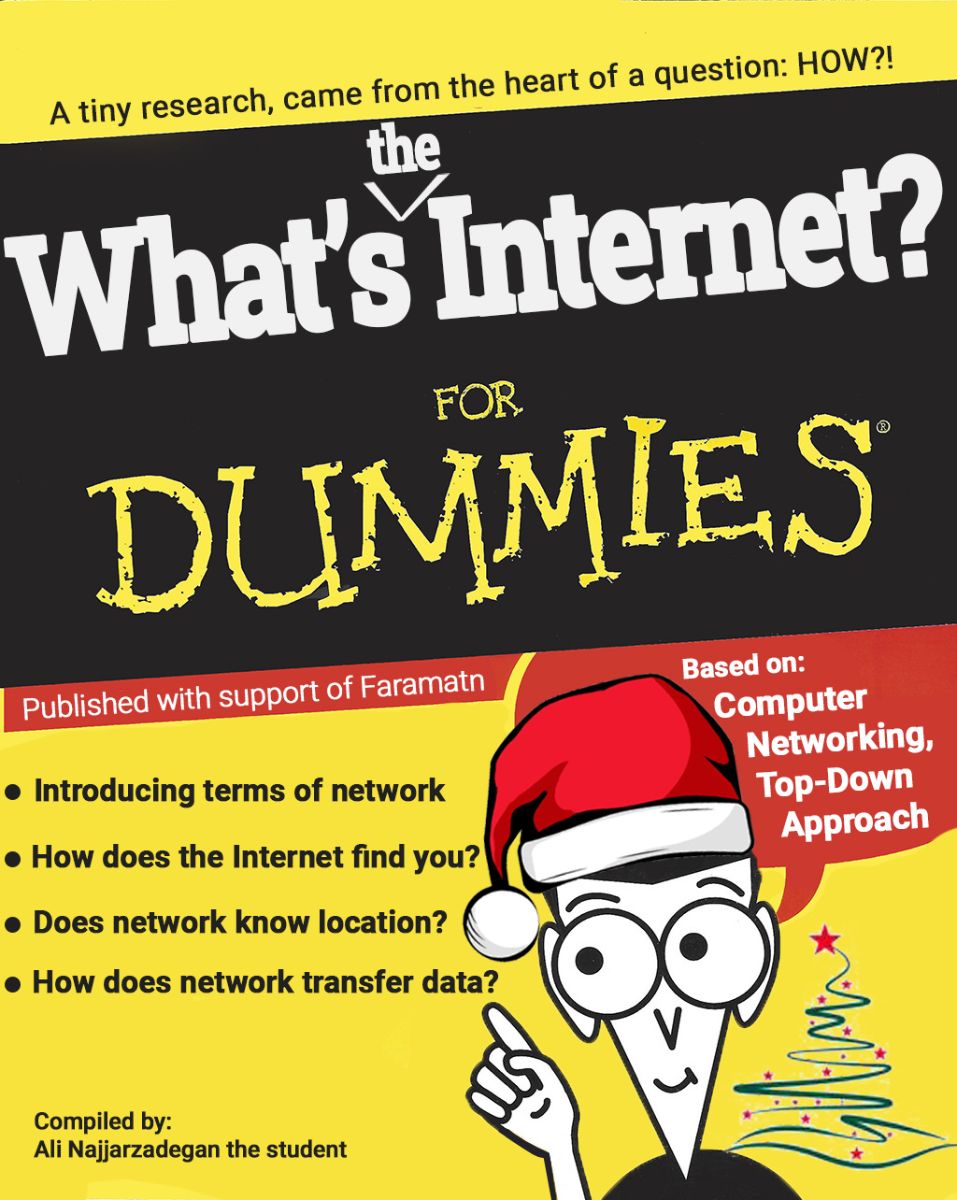
compiled by Ali Najjarzadegan, CE student 1402 at IUT
revised by Cessa IUT Network Group
Introduction:
This research has been prepared solely for increasing personal awareness and is suitable for those who know nothing about networks and the process of connecting to and using the internet. Here, we have tried to use a simple, everyday process to demonstrate what the internet we use is and how it works. The main source for this research came from the *Computer Networking: A Top-Down Approach* book, and for some supplementary and more detailed content, other sources like YouTube and ChatGPT have been used.
The phrase “for dummies” has become synonymous with making learning accessible. With over 2,500 titles and more than 200 million copies sold worldwide, the For Dummies series has helped millions of readers grasp complex topics in a simple and approachable way. These books aim to break down barriers to learning, ensuring that anyone can gain new knowledge, no matter their starting point. At the end of the line, it’s all for fun!
You decide to send a “Merry Christmas” greeting to your friend via Telegram. After connecting your phone to the internet and typing the message in their chat window, you press the send button. The message is sent to Telegram. It undergoes the necessary processing, including storage, encryption, and data analysis. A single checkmark appears, indicating the message has been uploaded to the system and sent to your friend. The internet must then find your friend, deliver the message from Telegram's servers to their phone, and make the necessary changes on their device. This involves a signal containing the message and some instructions. This process happens every day, but we rarely notice its complexity. In this article, we aim to break down this process layer by layer and deepen our understanding of network communication.
At its core, the internet is a massive global network of interconnected computers that can communicate with each other to share information. It’s a collection of millions of smaller networks (like those in homes, businesses, data centers, universities) all linked together.
1. Network of Networks:
The internet is often described as a "network of networks." It connects various networks—home WiFi, corporate networks, mobile networks, and massive data centers—so they can communicate with each other.
These networks are connected using physical infrastructure, like fiber-optic cables, satellites, undersea cables, and wireless technologies (like 4G/5G or WiFi).
2. Data Transfer Using Protocols:
The internet works by transferring data (like text, images, and videos) between devices using a set of agreed-upon rules called protocols.
The most important protocol is TCP/IP (Transmission Control Protocol/Internet Protocol). These protocols break the data into small packets, send them across the network, and then reassemble them at the destination.
IP addresses are unique identifiers for devices on the internet (like your phone or a server). Every device connected to the internet has an IP address, so it can be found and communicated with.
3. The Role of ISPs (Internet Service Providers):
To access the internet, you need an ISP (Internet Service Provider). Your ISP connects your home or mobile device to the broader internet.
ISPs use routers, switches, and fiber-optic cables to send and receive data between your device and other networks. These ISPs link you to the global internet backbone.
4. Servers and Clients:
The internet is made up of clients(like your phone, laptop, or browser) and servers (computers that store and serve content like websites, apps, or data).
When you browse a website, your device (the client) sends a request to the website’s server, which then responds by sending the content (the web page) back to your device.
Servers are often housed in large data centers and are responsible for storing and managing data. Services like Google, Amazon, or Netflix use massive server networks to provide content.
5. How the Internet Routes Data:
When you send or request information (like sending a message on Telegram or watching a video), the data is divided into packets. These packets are sent from your device through your ISP and across various routers and switches on the internet until they reach their destination.
Routers decide the best path for these packets to travel to reach their destination efficiently. Think of it like a delivery service deciding the best route to deliver packages.
The packets don’t always travel together; they might take different paths and get reassembled when they reach the destination.
6. Websites and the World Wide Web:
One of the most common uses of the internet is accessing the World Wide Web (or just "the web"). The web is a collection of websites and web pages that use the HTTP (Hypertext Transfer Protocol) to transfer information.
Websites are stored on servers, and when you type a URL (like www.google.com) into your browser, it sends a request to the server that stores that website. The server then sends the web page back to your browser.
7. Other Internet Services:
Besides the web, the internet supports many other services:
o Email (using protocols like SMTP, IMAP).
o Messaging apps (like Telegram, WhatsApp).
o Video streaming (like Netflix, YouTube).
o Voice over IP (VoIP) services (like Skype, Zoom).
o Cloud computing (services that store and process data remotely, like Google Drive, AWS).
8. Physical Infrastructure:
Undersea cables are critical to the internet, connecting continents across the ocean. These fiber-optic cables carry massive amounts of data across the globe.
On land, the internet relies on fiber-optic and copper cables, wireless towers, satellites, and data centers to move data around.
9. Simple Analogy:
Think of the internet like a postal system:
The "letters" (data) are sent in small "envelopes" (packets).
The "addresses" are the IP addressesthat help deliver these letters to the right place.
The "post office" is the network of routers and ISPs that direct and sort the letters along the way.
The servers are like houses where the letters (websites, emails) are stored.
In networking, the concept of layers helps break down the complex process of communication into manageable pieces. The most widely recognized model for explaining network layers is the OSI (Open Systems Interconnection) Model. Another commonly used model is the TCP/IP (Transmission Control Protocol/Internet Protocol) Model, which is more aligned with how the modern internet works.
1. OSI Model (7 Layers)
The OSI Model breaks down network communication into 7 layers, with each layer responsible for specific tasks. The layers communicate with the layer above and below them, but each layer operates independently.
Function: This layer is responsible for the physical transmission of raw data bits over a communication medium (like cables, fiber optics, or radio waves).
Examples:
Cables (Ethernet, fiber optics)
WiFi signals
Physical hardware like switches and hubs
Function: The data link layer handles the node-to-node communication and organizes raw data bits into frames for error-free delivery across the physical link. It also handles MAC addressing (Media Access Control), ensuring that the data is directed to the right device.
Examples:
Ethernet (wired LAN)
WiFi (wireless LAN)
MAC addresses (unique identifiers for network interfaces)
Function: This layer is responsible for routing the data packets across multiple networks and determining the best path for data to reach its destination. This is where IP addressing and packet forwarding take place.
Examples:
IP (Internet Protocol)
IPv4 and IPv6
Function: The transport layer manages end-to-end communicationand ensures that data is transmitted reliably and in the correct sequence. It handles error correction and flow control. Two common protocols here are TCP (reliable, connection-oriented) and UDP (unreliable, connectionless).
Examples:
TCP (Transmission Control Protocol)
UDP (User Datagram Protocol)
Function: This layer establishes, manages, and terminates sessions(communication between two devices). It maintains these connections and ensures proper synchronization.
Examples:
Sessions in web applications (logging into a website)
Remote desktop
Function: The presentation layer is responsible for data translation, encryption, and compression. It ensures that data sent from the application layer of one system can be understood by the application layer of another system.
Examples:
Data encryption (e.g., SSL/TLS)
Data compression (e.g., JPEG, MP3)
Character encoding (e.g., ASCII, Unicode)
Function: This is the closest layer to the user. It provides interfaces and protocols for applications to access network services, such as web browsing, email, or file transfer.
Examples:
HTTP/HTTPS (for web browsing)
FTP (File Transfer Protocol)
SMTP (Simple Mail Transfer Protocol) for email
DNS (Domain Name System)
2. TCP/IP Model (4/5 Layers)
The TCP/IP Model is simpler and more directly aligned with how the internet functions. It has 4 layers, but they roughly correspond to the OSI layers. Here’s a comparison with the OSI model.
Function: Combines the functions of the OSI Physical and Data Link layers. This layer handles physical network hardware and the transmission of data within a single network segment (e.g., your home WiFi).
Examples:
Ethernet, WiFi
ARP (Address Resolution Protocol)
Function: Corresponds to the OSI Network Layer. This layer is responsible for routing packets across networks. It’s where IP addresses are used to send data from one device to another across the internet.
Examples:
IP (Internet Protocol)
ICMP (Internet Control Message Protocol) for error reporting
Function: Equivalent to the OSI Transport Layer. It ensures that data is reliably transmitted from one device to another. It uses protocols like TCP for reliable transmission and UDP for faster, but less reliable, transmission.
Examples:
TCP (Transmission Control Protocol)
UDP (User Datagram Protocol)
Function: This combines the Session, Presentation, and Application layers of the OSI model. It’s responsible for protocols that allow applications to communicate across the network.
Examples:
HTTP/HTTPS (web browsing)
SMTP (email)
FTP (file transfer)
3. How the Layers Work Together:
When you send a message (like a web request or an email), it moves down through the layers, from the Application layer (where the request is created) to the Physical layer (where it’s turned into electrical signals and sent across a network).
When data reaches the destination, it moves upthe layers, from the Physical layer back to the Application layer, where the message is received and displayed.
When you turn on your mobile data, your phone is connecting to your mobile service provider’s network, which allows you to access the internet using data from your SIM card plan. Here's what happens in that moment:
When you enable Wi-Fi, your phone starts scanning the air for nearby Wi-Fi signals. It looks for Wi-Fi access points (like your home modem/router) that broadcast their SSID (the Wi-Fi network name). Your home modem broadcasts this signal so your phone can detect it.
In any other way you connect to the internet, something similar to the two scenarios mentioned above happens. Whether it's Internet Tethering or Satellite Internet, by examining the same conditions, they facilitate the process for us and allow access.
We give an example from the reference book to better understand the working details of the Internet:
Packet-switched networks (which transport packets) are in many ways similar to transportation networks of highways, roads, and intersections (which transport vehicles). Consider, for example, a factory that needs to move a large amount of cargo to some destination warehouse located thousands of kilometres away. At the factory, the cargo is segmented and loaded into a fleet of trucks. Each of the trucks then independently travels through the network of highways, roads, and intersections to the destination warehouse. At the destination warehouse, the cargo is unloaded and grouped with the rest of the cargo arriving from the same shipment. Thus, in many ways, packets are analogous to trucks, communication links are analogous to highways and roads, packet switches are analogous to intersections, and end systems are analogous to buildings. Just as a truck takes a path through the transportation network, a packet takes a path through a computer network
1. Phone Constantly Communicates with Cell Towers:
Your phone is always “checking in” with nearby cell towers, even when you’re not actively using it. This is called cell tower registration or location updating.
Every phone has a unique identifier called an IMSI (International Mobile Subscriber Identity), stored in the SIM card. This identifier tells the network which SIM card (and therefore which phone) is connected.
As you move around, your phone constantly searches for the nearest, strongest cell tower signal. Once it finds a nearby tower with a strong signal, it connects to that tower.
2. Location Areas (LAs) and Tracking Areas (TAs)
The mobile network divides the region into Location Areas (in 2G/3G networks) or Tracking Areas (in 4G/5G networks). Each area covers multiple cell towers.
When your phone moves between different location areas or tracking areas, it registers its new location with the network. This process is called a Location Update.
If the network needs to send data (like a call or mobile internet) to your phone, it knows which area your phone is in and which tower to use to reach you.
3. Paging: Finding You for Calls or Data
When someone calls you or when mobile data needs to be sent to you, the network uses a process called paging. Paging is when the network sends a signal to all cell towers in the area to “ask” which one has your phone connected.
Your phone responds to the tower it’s connected to, telling the network, “I’m here!”
After that, the cell tower knows your exact location and establishes a connection with your phone to route the call or data (like mobile internet) to you.
4. What Happens When You Move Around?
As you move through different areas (like driving through the city), your phone will continue to switch between different cell towers, a process called handover (or handoff in the US).
The network ensures that as you move, your phone stays connected to the nearest, strongest cell tower. This way, you can stay on your call or use mobile data without interruption.
5. What About Mobile Data?
When you use mobile data, the process is similar to a call. Your phone communicates with the nearest cell tower to send and receive data. The data travels from your phone to the tower, and the tower routes it to the wider internet via your mobile network provider.
1. Cell Tower Location Areas:
When your phone is idle (not actively making a call or using data), it's still connected to the nearest cell tower. The network knows your phone is within the coverage area of that tower, which could be several kilometres wide, depending on the area (urban vs rural).
The network does not need to know your precise location all the time. Instead, it tracks your Location Area (LA)(in older networks) or Tracking Area (TA) (in newer 4G/5G networks). Your phone only updates its position when it moves from one area to another.
2. Signal Strength & Cell Sectors:
Signal strength plays a key role in determining which tower you are connected to. Your phone will generally connect to the tower with the strongest signal, which is usually the nearest one.
Cell towers typically have multiple sectors(antennas pointing in different directions), which divide the area around the tower into slices, like pieces of a pie. By knowing which sector your phone is connected to, the network can estimate the direction your phone is in from the tower (but not the exact distance).
3. Approximate Distance (Timing Advance):
In 2G/3G networks, the network can estimate how far away you are from the tower using a technique called Timing Advance. This measures the delay in signals between your phone and the tower, giving a rough idea of your distance from the tower.
The network doesn't have your exact distance, but it knows you're within a certain range from the tower.
4. No Exact Coordinates:
The network does not typically have your exact GPS coordinates. Instead, it knows:
· Which cell tower you're connected to.
· Which sector of the tower you're in (to estimate your direction).
· A rough idea of your distance from the tower using signal delay.
This gives the network a general ideaof your location but not a precise one. It's enough for tasks like routing calls and mobile data but not for something like finding your exact position.
1. Technology Used (2G, 3G, 4G, 5G):
2. Frequency Spectrum:
Different cell towers operate on different frequency bands. Higher frequencies can support more bandwidth and more users, but their coverage area is smaller.
Towers in urban areas (where there are more people) might use higher-frequency bands to handle more simultaneous connections.
Towers in rural areas tend to use lower frequencies, which cover larger areas but may support fewer users.
3. Number of Sectors:
A cell tower is divided into sectors, typically three to six. Each sector has its own capacity, so a tower with more sectors can handle more phones.
4. Bandwidth per User:
The total capacity of a tower is shared among all users connected to it. If each user is consuming more bandwidth (e.g., video streaming), the number of users the tower can support decreases. Conversely, if many users are just on standby (like phones that aren't actively using data), the tower can accommodate more devices.
5. Real-World Example of Tower Capacity:
A 4G LTE tower in a densely populated city could accommodate around 1,000 to 2,000 active users at a time, though the exact number can vary based on traffic load, signal quality, and spectrum allocation.
5G towers, particularly those using millimetre-wave technology in cities, can support 10,000 to 100,000 connections within a small area because of higher frequencies and more efficient use of bandwidth.
6. Paging and Connection Limits:
The paging process, where the network finds your phone for calls or data, uses very little bandwidth. Even when a large number of phones are connected to a tower but not actively using data or making calls, the network can handle these devices in a sort of "standby" mode.
The challenge comes when many users are actively consuming data (streaming, video calls, etc.). The tower can get congested, leading to slower speeds or dropped connections.
After extensive research, I have found the answer to a simple question: How is it that my friend can continue to communicate with me while I am driving and moving simultaneously? Did I miss any signals in the process? This question led me to join the CESSA network group in order to deepen my understanding. I am grateful to my friends for introducing me to the "Top-Down" book, Season 1, which ultimately provided me with the insights I was seeking.
Through this journey, I gained a comprehensive understanding of the internet, how it operates, how data is transferred, how it locates users, and how it delivers specific data to them.
Furthermore, this exploration opened new perspectives on how ISPs or governments might have the ability to access devices, monitor communications, track phone counts in specific areas, and access data transmission. However, in this context, such capabilities were not relevant or applicable.
Thanks for your attention!
"Learn and teach, inspire and reach."
This research has been compiled by Ali Najjarzadegan the student, which was in order of Network group
CE Department – IUT
2024-12-17
📧Gmail: alinajarzadegan1383@gmail.com
🎬Aparat: https://www.aparat.com/A.Najjar_TB
💡LinkedIn: Ali Najjarzadegan
🗿GitHub: https://github.com/anjrzdgn

